
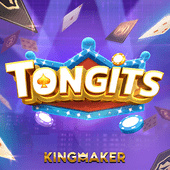
Tongits Cards Game
A familiar Filipino table format on pk111
Tongits brings a compact, decision-led card table to mobile players. Review your hand, manage the cards you keep, and choose the right moment to draw, meld, or challenge the table. Use the Tongits Demo to become comfortable with the interface before choosing a play session.
What is Tongits?
Tongits is a traditional Filipino Cards Game built around hand management. Players arrange a hand of cards into useful combinations, decide which card to discard, and watch the table for opportunities to improve the next draw. The digital format keeps the familiar rhythm while presenting the cards, controls, and turn information in a clear mobile layout.
The objective is not simply to draw the highest card. A thoughtful Tongits player looks at connected ranks, matching suits, and the possible combinations already visible in the hand. This makes each turn a small information exercise: retain flexible cards, avoid unnecessary clutter, and reassess after every draw.
For new players, the Tongits Demo offers a low-pressure way to inspect the lobby, card controls, and table prompts. It is also useful for experienced players moving from a physical table to the pk111 interface.
How to Play Tongits?
A clear table routine
1. Enter the Cards Game lobby. Sign in through the pk111 site or app and open the cards category. Locate Tongits and read the on-screen table instructions.
2. Check your opening hand. Look for pairs, runs, and cards that can connect by rank or suit. Keep a simple plan rather than trying to preserve every possibility.
3. Draw and evaluate. On your turn, draw the available card and compare it with your current combinations. A new card can improve a run, complete a set, or be discarded if it reduces flexibility.
4. Meld when useful. Place eligible combinations according to the table prompts. Melding can clarify the remaining hand and make later choices easier.
5. Discard with purpose. Release a card that is less useful while considering what information the discard may reveal. Keep the hand compact and avoid rushed decisions.
6. Review the result. At the end of the round, review the table summary and use that information to refine your next Tongits Demo or regular session.
Tongits Features
Hand Planning
Organise combinations as the round develops.
Mobile Layout
Readable controls for compact screens.
Turn Rhythm
Follow prompts and act at your own pace.
Practice Mode
Use Tongits Demo to learn the table.
Clear Status
See cards, actions, and round information.
Replayable Sessions
Build familiarity one round at a time.
The value of this Cards Game is its compact decision loop. The player can focus on card relationships instead of navigating a busy interface. The same visual hierarchy makes Tongits Demo practice and regular play easy to compare.
Explore Tongits Features
Tongits Strategy Notes
Build flexible hands
At the start of a round, prefer cards that can connect in more than one way. A pair may become a set, while nearby ranks can support a run. Keep checking whether a card still serves a purpose after each draw.
Use information carefully
Discard history gives context, but it does not guarantee what another player holds. Treat visible cards as clues rather than certainty. In a Tongits Demo session, practise noticing these clues without making hurried assumptions.
Protect your session
Choose a comfortable time and entertainment budget before opening a Cards Game. Take breaks, keep the session length in view, and stop when the activity is no longer enjoyable. These habits help keep card play recreational.
Tongits on Mobile
A focused cards table
The pk111 mobile experience keeps the Tongits board within reach on a phone. Use the official site or app entry point, check your connection before a session, and allow the game controls to finish registering each action before tapping again.
The Tongits Demo is a useful first stop for checking text size, table prompts, and the way cards are grouped on your device. If you switch between phone and desktop, take a moment to recheck the control layout.
Open pk111 Cards Games
Related Games
More cards and table choices
 5 Card Poker
 Cards Hi Lo
 Coin Pusher
 Coin Toss
 Ali Baba
 Asgardian Rising
 Aztec Priestess
 Boxing King
If you enjoy the hand planning in Tongits, you can also visit Open Sesame Mega for a different style of game presentation. Players who prefer a fast decision can compare the pace with Boxing King, while Coin Toss offers another concise option in the cards collection.
Browse Related Games
Tongits FAQ
What type of game is Tongits?
Tongits is a Filipino-style Cards Game focused on forming combinations, managing a hand, and making careful draw and discard decisions.
What is Tongits Demo?
Tongits Demo is a practice-oriented way to explore the table interface and card flow before selecting a regular entertainment session. Availability and table options are shown in the current pk111 lobby.
How should a new player begin?
Start by reading the table prompts, sort the opening hand by possible pairs and runs, then use each turn to improve clarity rather than chasing every possible combination.
Can I play Tongits on a phone?
Yes. Tongits is presented in the pk111 mobile-first interface. Check the game controls on your device and use the official pk111 access route before beginning.
Does strategy guarantee a result?
No. Strategy can improve how you organise information and manage a session, but it cannot guarantee a particular round result. Play as entertainment and keep personal limits in mind.
Payment and Access Information
Before using any game on pk111, review the current account, payment, and access instructions displayed by the platform. Keep login details private and confirm that you are using the intended official page. Payment availability, limits, and processing information can change, so the live cashier and account screens are the appropriate source for current details.
Use the Tongits Demo to learn the Cards Game flow before deciding whether a paid session suits your entertainment plan.
Partner Resources